Municipal Corporation Gurugram (MCG) provides civic services across a rapidly developing urban area that includes dense residential sectors, commercial hubs, villages brought into the municipal system and large office districts. For property owners, the most important recurring municipal task is keeping the property-tax record accurate and paying dues through the official Haryana property-tax system.
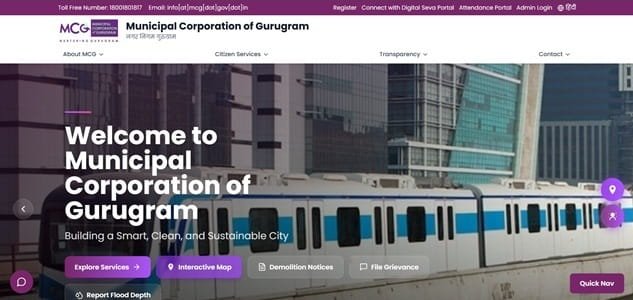
MCG’s website links citizens to property-tax payment as well as property-tax grievances, while Haryana’s central Property Tax & NDC portal handles PID-based records, payment, No Dues Certificates, objections and new PID requests. Because Gurugram properties can have complex ownership and mapping histories, checking the property record before payment is especially important.
Quick About Municipal Corporation Gurugram
| Particular | Details |
| Civic body | Municipal Corporation Gurugram |
| Main office | MCG Head Office, Sector 34, Gurugram, Haryana – 122001 |
| Main phone | 1800 180 1817 |
| Citizen/property-tax support | Toll-free: 1800 180 1817 |
| info@mcg.gov.in | |
| Official website | mcg.gov.in / property.ulbharyana.gov.in |
| Key property-tax identifier | Property ID (PID) |
| Major online property-tax services | Find property and pay property tax online, Property Tax & NDC services, Property-tax grievance submission, Correction/objection for property details or dues, Create new PID where required |
Municipal Corporation Gurugram Head Office Address
The main municipal office is located at MCG Head Office, Sector 34, Gurugram, Haryana – 122001. Citizens who need document verification, property-record correction or assistance beyond routine online payment can approach the corporation or the relevant zonal/ward office.
Address: MCG Head Office, Sector 34, Gurugram, Haryana – 122001
Phone: 1800 180 1817
Email: info@mcg.gov.in
Support: Toll-free: 1800 180 1817
What You Can Do Through MCG Online Services
Municipal Corporation Gurugram provides a range of online civic services. For property owners, the most useful current facilities include:
- Find property and pay property tax online
- Property Tax & NDC services
- Property-tax grievance submission
- Correction/objection for property details or dues
- Create new PID where required
- Water services and bill/grievance access
- Trade licence, building plan and other digital civic services
Individual service pages, payment gateways and annual tax notices can change, so the corporation or state/local-government portal should always be treated as the final point of reference.
MCG Property Tax: How the System Works
MCG property-tax services use the Haryana Urban Local Bodies property system, where a Property ID (PID) identifies the municipal property record. The tax demand is linked to the data stored against that PID, so mistakes in ownership, use, area or mapping should be corrected through the official objection/grievance mechanism.
MCG also provides a dedicated property-tax grievance route from its website. This is useful when the problem is not simply an unpaid bill but a duplicate property, incorrect owner, wrong dues, missing payment or another record-level issue.
Key Property Tax Number or Reference
The Property ID (PID) is the main reference for Gurugram property-tax services. It may appear on older bills or receipts and can also be linked to the citizen’s account on the Haryana portal. If a valid PID has not been created for the property, the state portal provides a New PID service.
How to Check MCG Property Tax Bill and Dues Online
- Open the official MCG website and choose Property Tax, or directly use the Haryana Property Tax & NDC portal.
- Select the correct municipality and access the property account using PID/login details.
- Review the property address, ownership and outstanding tax.
- Check whether old payments have been credited.
- Use the grievance/objection route if the record is inaccurate.
How to Pay Municipal Corporation Gurugram Property Tax Online
- Open the correct PID record.
- Check the current tax demand and arrears.
- Confirm the property particulars before paying.
- Complete payment through the official gateway.
- Save the transaction reference and verify payment status.
- Download or retain the official receipt and, when needed, generate the NDC after dues are cleared.
Avoid refreshing or closing the page while a payment is processing. If the bank account is debited but the municipal account does not immediately show success, first verify the transaction or contact official support before attempting a second payment.
How to Download or Verify the Property Tax Receipt
A successful online payment should be visible in the municipal account. If the bank shows a debit but the property ledger does not update, use the state payment-verification service or MCG grievance route before making another payment.
MCG Login and Citizen Registration Guide
The Haryana Property Tax & NDC system supports citizen registration and OTP-based login using the options currently displayed, including mobile/email/PID-linked access. MCG’s own website also offers registration for some digital services. Use an active mobile number because OTP verification is central to many citizen-service transactions.
Property Record Correction, Mutation and Ownership Changes
Wrong property details, duplicate records, ownership changes and disputed dues should be taken through the correction/objection or grievance process. Keep the registered sale deed and relevant property documents ready. A tax receipt proves payment but does not by itself prove that the ownership or assessment record is correct.
Offline Help and Payment Support
MCG’s head office is in Sector 34. For a problem that cannot be resolved through the central property portal, use the MCG toll-free number or submit a property-tax grievance through the official website. Do not send property documents to unofficial agents or payment links.
Frequently Asked Questions
Q. The same property appears under more than one record. Which PID should I pay?
Do not guess. Raise a property-tax grievance or correction request so MCG can identify the valid record. Paying against the wrong or duplicate PID can make later reconciliation difficult.
Q. My online payment is successful in the bank, but MCG still shows dues. Should I pay again?
First verify the transaction through the Haryana payment-verification system and raise a grievance if needed. Avoid a second payment until the first transaction status is clear.
Q. Can I get a No Dues Certificate immediately after paying?
Only after the tax account reflects the payment and shows no outstanding demand. If old arrears or an incorrect charge remains on the PID, resolve that entry before relying on the NDC.
Q. I purchased a Gurugram property and the municipal record still shows the seller. What should I do?
Use the ownership-change/correction process on the official property system and submit the required sale and identity documents. Payment of the seller’s old tax bill does not automatically complete municipal mutation.
Q. The property is not found in the Haryana portal. Does that mean no tax is payable?
No. It may mean the property needs mapping or a new PID. Use the New PID/correction route or contact MCG rather than treating a missing search result as a tax exemption.