Kochi Municipal Corporation (KMC), also commonly referred to as Cochin Corporation, uses Kerala’s K-SMART system for a growing range of local-government services. Property tax can be accessed from the corporation website and through K-SMART, alongside civil registration, building services, licences, complaints and other citizen facilities.
For property owners, the important point is that the online tax record is tied to the building/property details maintained by the local body. If those details are incorrect, payment alone will not fix the record. This guide covers the corporation address, current K-SMART route, quick property-tax payment, login, receipts, objections/corrections and practical ownership issues.
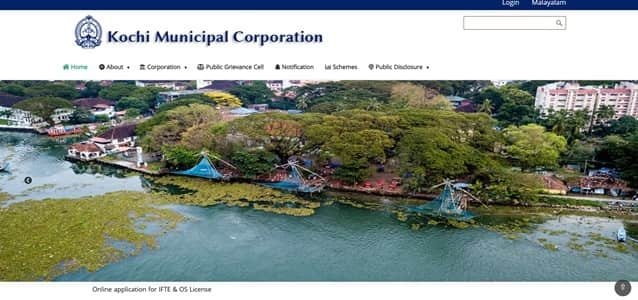
Quick About Kochi Municipal Corporation
| Particular | Details |
| Civic body | Kochi Municipal Corporation |
| Main office | Kochi Municipal Corporation, PB No. 1016, Cochin, Ernakulam District, Kerala – 682011 |
| Main phone | 0484-2369007 |
| Citizen/property-tax support | K-SMART / corporation grievance channels |
| kmccmas@gmail.com | |
| Official website | kochicorporation.lsgkerala.gov.in / ksmart.lsgkerala.gov.in |
| Key property-tax identifier | Building/property details in K-SMART |
| Major online property-tax services | K-SMART citizen services, Property Tax quick payment, Property Tax services under K-SMART, Building and ownership-related certificates, Public grievance and complaints |
Kochi Municipal Corporation Head Office Address
The main municipal office is located at Kochi Municipal Corporation, PB No. 1016, Cochin, Ernakulam District, Kerala – 682011. Citizens who need document verification, property-record correction or assistance beyond routine online payment can approach the corporation or the relevant zonal/ward office.
- Address: Kochi Municipal Corporation, PB No. 1016, Cochin, Ernakulam District, Kerala – 682011
- Phone: 0484-2369007
- Email: kmccmas@gmail.com
- Support: K-SMART / corporation grievance channels
What You Can Do Through KMC Online Services
Kochi Municipal Corporation provides a range of online civic services. For property owners, the most useful current facilities include:
- K-SMART citizen services
- Property Tax quick payment
- Property Tax services under K-SMART
- Building and ownership-related certificates
- Public grievance and complaints
- Licence and building-permission services
- Other municipal e-payment services
Individual service pages, payment gateways and annual tax notices can change, so the corporation or state/local-government portal should always be treated as the final point of reference.
KMC Property Tax: How the System Works
Kochi property tax is administered under Kerala’s municipal system and is now accessible through K-SMART. The property record is linked to the local body’s building information, and the demand can include current tax and arrears according to the municipal record.
Kerala local bodies collect property tax in half-yearly periods, and current due dates/penalty rules are announced by the local-government system. Because those dates can change or receive extensions, citizens should rely on K-SMART and current KMC notices rather than an old due-date article.
Key Property Tax Number or Reference
K-SMART property-tax payment requires the building/property details requested by the service. Keep the ward/building references and an old property-tax receipt available when using Quick Pay or when asking the corporation to locate a record that does not appear correctly.
How to Check KMC Property Tax Bill and Dues Online
- Open the official Kochi Municipal Corporation website.
- Choose Property Tax or K-SMART.
- Use the K-SMART Property Tax / Quick Pay service.
- Enter the building/property details requested by the system.
- Review the owner/building information, current demand and arrears before payment.
How to Pay Kochi Municipal Corporation Property Tax Online
- Open the K-SMART property-tax payment service.
- Locate the correct Kochi Municipal Corporation property.
- Review the demand and building particulars.
- Proceed to payment using the options offered by K-SMART.
- Save the online transaction reference.
- Download or retain the receipt after the payment is confirmed.
Avoid refreshing or closing the page while a payment is processing. If the bank account is debited but the municipal account does not immediately show success, first verify the transaction or contact official support before attempting a second payment.
How to Download or Verify the Property Tax Receipt
Keep the K-SMART/municipal receipt as the primary record of payment. If the transaction is debited but the tax demand remains, use the corporation/K-SMART grievance route and provide the transaction details before making a second payment.
KMC Login and Citizen Registration Guide
K-SMART provides citizen login for applications and ongoing municipal services, while Quick Pay can simplify a one-time tax payment. Use the registered account when you need to track applications, documents or corrections rather than creating multiple accounts for the same property.
Property Record Correction, Mutation and Ownership Changes
If the building description, tax demand or ownership information is wrong, raise the issue through the appropriate K-SMART/corporation service or the relevant zonal office. Kochi has previously directed citizens with objections to property details or tax to submit them through official channels rather than simply ignoring the demand.
Offline Help and Payment Support
For a building that does not appear correctly in K-SMART or for a record-level dispute, approach Kochi Municipal Corporation or the relevant zonal office with the old tax receipt and ownership documents. The online grievance channel is useful for keeping a traceable record of the issue.
Frequently Asked Questions
Q. My property does not appear correctly in K-SMART. Should I create a new property entry myself?
Do not create a duplicate record unless the official service specifically instructs you to. Use the corporation/K-SMART support route with the old building and tax details so the existing record can be verified.
Q. I paid through K-SMART, but the demand still appears. Should I make a second payment?
No. Keep the transaction reference and raise a payment grievance if the account does not update. Paying twice can make reconciliation harder.
Q. Is Quick Pay the same as a full K-SMART citizen account?
No. Quick Pay is designed for a straightforward payment, while a citizen account is more useful when you need to track applications, documents, grievances or other municipal services.
Q. The building is still in the previous owner’s name. Does a tax receipt in my possession prove mutation?
No. A tax receipt proves payment of the tax account. Ownership/mutation records should be separately verified and corrected through the corporation’s prescribed process.
Q. Can I use last year’s property-tax due date for the current half-year?
Do not rely on it. Kerala local bodies can issue current-year deadlines or extensions. Check K-SMART and the latest KMC notice before assuming the same date applies.