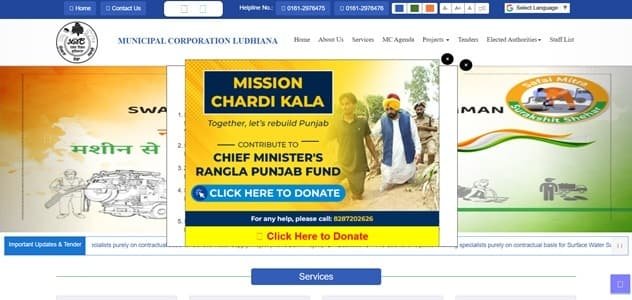
Municipal Corporation Ludhiana (MCL) runs a dedicated property-tax system that combines online self-assessment, Property Tax Return (PTR) filing, payment, challan printing and receipt verification. The portal also provides a detailed property-search facility using UID, old or new PID, colony, owner and house details, which is useful when a citizen does not remember the current property reference.
MCL also uses its e-Seva system for municipal accounts, and the corporation advises citizens to map a UID with the Property Tax Return so multiple services can be accessed through a single municipal identity. This guide covers the main office, tax-payment steps, PTR, UID/PID search, login, receipts and practical correction issues.
Quick About Municipal Corporation Ludhiana
| Particular | Details |
| Civic body | Municipal Corporation Ludhiana |
| Main office | Commissioner Office, Zone D, Sarabha Nagar, Ludhiana, Punjab |
| Main phone | 0161-2917005 / 2917006 |
| Citizen/property-tax support | Property/e-Seva helpline: 84375-35700; MCL helpline: 0161-2976475 / 2976476 |
| commissionermcl@gmail.com | |
| Official website | mcludhiana.gov.in / propertytax.mcludhiana.gov.in |
| Key property-tax identifier | UID / Old PID / New PID |
| Major online property-tax services | Search property by UID, Old PID or New PID, File Property Tax Return (PTR), Self-assess property tax, Calculate property tax online, Print property-tax statement/challan |
Municipal Corporation Ludhiana Head Office Address
The main municipal office is located at Commissioner Office, Zone D, Sarabha Nagar, Ludhiana, Punjab. Citizens who need document verification, property-record correction or assistance beyond routine online payment can approach the corporation or the relevant zonal/ward office.
- Address: Commissioner Office, Zone D, Sarabha Nagar, Ludhiana, Punjab
- Phone: 0161-2917005 / 2917006
- Email: commissionermcl@gmail.com
- Support: Property/e-Seva helpline: 84375-35700; MCL helpline: 0161-2976475 / 2976476
What You Can Do Through MCL Online Services
Municipal Corporation Ludhiana provides a range of online civic services. For property owners, the most useful current facilities include:
- Search property by UID, Old PID or New PID
- File Property Tax Return (PTR)
- Self-assess property tax
- Calculate property tax online
- Print property-tax statement/challan
- Pay property tax online
- Verify property-tax receipt
- e-Seva login and other municipal bill services
Individual service pages, payment gateways and annual tax notices can change, so the corporation or state/local-government portal should always be treated as the final point of reference.
MCL Property Tax: How the System Works
MCL’s property-tax system is based on self-assessment/PTR filing. The taxpayer is responsible for entering accurate property details relevant to the annual value and tax calculation, including covered area, category, type, use, occupancy, age and applicable rebate/exemption information.
Because the filing is self-assessment based, owners should not simply accept an incorrect selection in a drop-down or reuse old property details when the building use or occupancy has changed. The PTR and municipal record should reflect the actual property characteristics.
Key Property Tax Number or Reference
MCL’s search facility supports Old PID, New PID and UID, along with colony, owner, house and occupier details. The corporation also states that citizens should map the UID with the Property Tax Return to access services using a single UID number.
How to Check MCL Property Tax Bill and Dues Online
- Open the MCL property-tax portal.
- Use Search Your UID if you need to locate the property from Old PID, New PID, UID, colony, owner or house details.
- Open the property/PTR record.
- Review property particulars, previous return and current tax calculation.
- Correct the filing inputs before payment if the property use, area or occupancy has changed.
How to Pay Municipal Corporation Ludhiana Property Tax Online
- File or open the correct Property Tax Return.
- Use the online calculation/self-assessment facility.
- Review the tax statement/challan.
- Pay using an available online method or at an authorised Sewa Kendra/Zonal Suwidha Centre.
- Save the payment reference.
- Verify the property-tax receipt and keep a copy.
Avoid refreshing or closing the page while a payment is processing. If the bank account is debited but the municipal account does not immediately show success, first verify the transaction or contact official support before attempting a second payment.
How to Download or Verify the Property Tax Receipt
MCL provides a receipt-verification function. Use it when a payment has been made but you need to confirm that the municipal system has accepted it. A verified municipal receipt is more useful than relying only on a bank debit message.
MCL Login and Citizen Registration Guide
The MCL e-Seva portal allows citizens to register and log in, with the registered mobile number used as the citizen username in the current system. Two-step verification/OTP may also be used. Keep the mobile number active because it is important for account recovery and service mapping.
Property Record Correction, Mutation and Ownership Changes
If the property details used in a PTR are wrong, correct them through the applicable municipal process instead of repeatedly filing inaccurate returns. For ownership or property-record changes, use the relevant MCL service and keep the supporting documents ready.
Offline Help and Payment Support
MCL accepts PTR/payment through Sewa Kendras and zonal Suwidha Centres as well as online channels. The corporation publishes separate Zone A, B, C and D addresses, so property owners can approach the relevant zone if the online record cannot be resolved.
Frequently Asked Questions
Q. I only know my old PID. Can I still locate the Ludhiana property account?
Yes. MCL’s Search Your UID facility supports Old PID as well as New PID, UID, colony, owner, house number and occupier details.
Q. Why does MCL ask taxpayers to map a UID with the Property Tax Return?
MCL says UID mapping allows citizens to access municipal services using a single UID reference. It also reduces dependence on remembering multiple old property numbers.
Q. The portal calculated the tax after I selected the wrong property use. Can I rely on the software amount?
No. MCL’s terms place responsibility on the taxpayer for accurate property information and correct selections. Correct the property-use/assessment details before relying on the calculation.
Q. I made a payment but want to confirm that MCL received it. What should I use?
Use the Verify Property Tax Receipt facility and keep the verified receipt. If the payment is not found, contact the property/e-Seva helpdesk before paying again.
Q. Can I file and pay property tax without going to the MCL office?
Yes. MCL provides online PTR/self-assessment and payment. Citizens who prefer offline assistance can also use authorised Sewa Kendras or zonal Suwidha Centres.