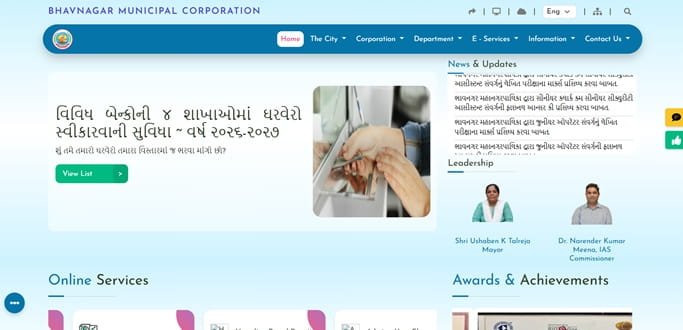
Bhavnagar Municipal Corporation (BMC) manages urban services across Bhavnagar and operates a dedicated online tax-collection system for property owners. The corporation’s property-tax setup is notable because it still provides separate routes for older taxation records and the newer carpet-based system. For a taxpayer, the most important identifier is the Assessee Key Number used to retrieve the property and tax bill.
The online service supports tax-bill lookup, payment and re-printing of receipts, while the BMC website also links to professional tax, vehicle tax, complaints, shops and establishment services, marriage registration and other civic facilities. This guide explains how to use the property-tax system, what the Assessee Key means and what to do when the tax record or payment does not match the property.
Quick About Bhavnagar Municipal Corporation
| Particular | Details |
| Civic body | Bhavnagar Municipal Corporation (BMC) |
| Head office | Bhavnagar Mahanagar Seva Sadan, Sir Mangal Sinhji Road, Near Kalanala, Bhavnagar, Gujarat – 364001 |
| Phone | 0278-2424801 / 0278-2428628 |
| comm-bmc@gujarat.gov.in | |
| Official website | bmcgujarat.com |
| Key property-tax identifier | Assessee Key Number |
| Online systems | Old Taxation System and Carpet Base System |
| Major property services | Tax bill detail, online payment, receipt re-print and assessment-related support |
Bhavnagar Municipal Corporation Head Office Address
BMC’s head office is at Bhavnagar Mahanagar Seva Sadan near Kalanala. Property-tax issues are handled through the tax/assessment system, and BMC’s Assessment Department also maintains digital survey and reassessment work for properties within the corporation area.
Address: Bhavnagar Mahanagar Seva Sadan, Sir Mangal Sinhji Road, Near Kalanala, Bhavnagar – 364001
Phone: 0278-2424801 / 0278-2428628
Email: comm-bmc@gujarat.gov.in
Official website: bmcgujarat.com
Old Taxation and Carpet-Based Property Tax
BMC’s online portal distinguishes between older taxation records and the carpet-based property-tax system used for later assessments. This is important for older properties because the correct online module depends on how the property is recorded.
If you are unsure which system applies, check an earlier BMC bill or receipt before entering details. Using the wrong route may return no result even when the property is correctly assessed.
What Is the Assessee Key Number
The Assessee Key Number is the main property reference requested by the BMC online tax-collection module. It is used to retrieve the carpet-area tax bill details and to re-print current-year receipts. The system also provides a search route using plot/form details in certain cases.
Keep the key number from your latest bill or receipt. It is more reliable than searching by owner name alone because owner names can change after sale or inheritance while the property record remains the same.
How to Check Bhavnagar Property Tax Bill Online
- Open the official BMC website and choose Property Tax.
- Select the relevant taxation system: old taxation or carpet-base system.
- Enter the Assessee Key Number or use the alternative property search offered by the portal.
- Retrieve the bill and check the property and amount carefully.
- Confirm whether the demand includes arrears or other components before paying.
How to Pay Bhavnagar Property Tax Online
- Retrieve the correct property in the BMC Online Tax Collection Module.
- Review the tax bill detail and outstanding amount.
- Proceed to the payment page.
- Use one of the payment methods offered by the official gateway.
- Complete the transaction and note the reference number.
- Re-print or download the municipal receipt after the payment is posted.
The BMC payment page asks users to allow pop-ups for the online process. If the gateway window does not open, check the browser’s pop-up setting before starting another payment attempt.
How to Re-Print a Bhavnagar Property Tax Receipt
BMC provides a dedicated Re-Print Receipt service for the current taxation system. The user enters the Assessee Key and other requested form details to retrieve the receipt. Keep this receipt with sale, loan and ownership documents because it proves that the payment was credited to the municipal property account.
BMC Login and Public Online Services
Property-tax lookup and payment are public tax-module services and do not require a general employee-style login for every transaction. BMC also operates separate systems for professional tax, vehicle tax, complaints, shops and establishment and other municipal functions. Use the public service link appropriate to the transaction rather than an administrative login page.
Assessment, GIS Survey and Wrong Property Details
BMC’s Assessment Department carries out property reassessment and uses GIS-based digital survey tools. Properties are mapped and linked to building information during assessment work. If the municipal area, use, ownership or building details are inaccurate, raise the issue with the assessment/property-tax office and provide supporting records.
A correction in assessment is separate from the act of paying an outstanding bill. Owners should preserve the old bill, Assessee Key, sale deed and building records so that BMC can identify the correct property during verification.
If the Payment Is Debited but No Receipt Appears
Do not immediately repeat the payment. Check the Re-Print Receipt service and the tax bill status first. Keep the gateway transaction number, date, amount and Assessee Key. BMC’s online module directs users with technical issues to the corporation’s EDP support, so those details should be ready when reporting the problem.
Frequently Asked Questions
Q. How do I know whether my Bhavnagar property is under the old taxation or carpet-based system?
Check the tax period and the module used on your previous BMC bill or receipt. If the Assessee Key does not return a result in one system, verify the property with the tax office instead of guessing.
Q. My Assessee Key works, but the owner name is old. Can I still pay the bill?
The tax can relate to the property even when the ownership record is outdated, but payment does not correct the owner name. Start the prescribed ownership/mutation correction separately.
Q. The online payment button opens nothing. Is the portal down?
Not necessarily. The BMC tax module advises users to turn off the browser pop-up blocker for online payment. Check that setting before assuming the service has failed.
Q. Can a receipt be recovered after I close the payment page?
Yes. BMC provides a receipt re-print service. Use the Assessee Key and the additional details requested by the portal.
Q. My building area on the BMC record appears wrong after a survey. What should I do?
Approach the property-tax/assessment office with the Assessee Key and supporting property or building documents. A survey or reassessment issue should be corrected in the municipal assessment record, not through the payment gateway.