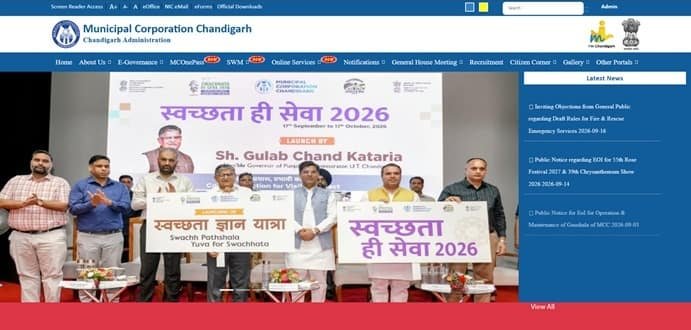
Municipal Corporation Chandigarh (MCC) handles a wide range of urban services in the Union Territory, and property tax is one of its major citizen-facing revenue functions. Chandigarh’s payment system is closely linked with e-Sampark, where a property can be searched through its Property ID (UID) or by house and sector details. OTP verification to the registered mobile number is an important part of the online payment flow.
This means a simple issue such as an outdated mobile number can prevent an otherwise valid property from being paid online. MCC also handles ownership changes, new property IDs and tax-register corrections through its Tax Branch. The guide below explains the current contact points, how to find and use the UID, how e-Sampark payment works, and what to do when ownership or mobile details are wrong.
Quick About Municipal Corporation Chandigarh
| Particular | Details |
| Civic body | Municipal Corporation Chandigarh (MCC) |
| Main office | Municipal Corporation, New Deluxe Building, Sector 17, Chandigarh – 160017 |
| Commissioner office phone | 0172-2708765 |
| Commissioner email | comm-mcc-chd@nic.in |
| e-Sampark helpline | 1800-180-1725 (9 AM to 6 PM) |
| Official website | mcchandigarh.gov.in |
| Key property identifier | Property ID (UID) |
| Main online route | Chandigarh e-Sampark property-tax service |
| Tax Branch assistance | Room No. 25, Ground Floor, Sector 17-E, Chandigarh; Assistant Collector (Tax) 0172-5021618 |
Municipal Corporation Chandigarh Address and Contact Details
MCC functions from Sector 17. Property-tax matters that require record correction, registration of a mobile number, ownership change or issuance of a new property ID may need Tax Branch assistance even when normal tax payment is available online.
Address: Municipal Corporation, New Deluxe Building, Sector 17, Chandigarh – 160017
Commissioner Phone: 0172-2708765
Commissioner Email: comm-mcc-chd@nic.in
e-Sampark Helpline: 1800-180-1725
Official website: mcchandigarh.gov.in
What Is the Chandigarh Property ID (UID)
The Property ID or UID is the main reference used by the e-Sampark property-tax service. It can be found on a property-tax challan or receipt. If the UID is not known, the system also allows a search using the house number and sector number.
Where a house/sector search returns more than one record, open the details carefully and verify the owner/property information before requesting OTP or making payment.
How to Check Chandigarh Property Tax Online
- Open the Chandigarh e-Sampark online payment portal.
- Choose the Property Tax service.
- Search by Property ID (UID), or use House Number and Sector Number.
- Open the correct property record.
- Review the property details and the amount due before starting OTP verification.
How to Pay Chandigarh Property Tax Online
Online payment uses OTP sent to the mobile number registered in the property record. This extra verification step protects the account but also means the municipal record must contain a working mobile number.
- Find the property using UID or house/sector details.
- Select the correct record and choose Send OTP.
- Enter the OTP received on the registered mobile number.
- Proceed to the payment page.
- Choose an available payment mode and complete the transaction.
- Save or print the successful payment receipt for future reference.
What If No Mobile Number Is Registered
The e-Sampark instructions state that if a registered mobile number has not been added to the property details, the owner should visit Municipal Corporation Chandigarh, Sector 17, to have the mobile number added. Do not use another person’s property simply because OTP is available on that record.
MCC Login and e-Sampark Access
A conventional username-and-password login is not required for every property-tax payment. Property lookup plus OTP is the core authentication route for the residential property-tax payment service. e-Sampark also provides other Chandigarh Administration services and a helpline for payment-related assistance.
Ownership Change and New Property ID
MCC treats change of owner/occupier and issuance of a new property ID as separate municipal services. Paying the tax does not by itself update ownership. Where a property has been sold, inherited or newly assessed, the owner should use the prescribed Tax Branch process and keep title/transfer documents ready.
Chandigarh’s Right to Service framework separately lists services for ownership change in the property-tax register and issuance of a new property ID, which is another reason not to treat tax payment as a substitute for record mutation.
Self-Assessment, Rebate and Current-Year Rates
Chandigarh property-tax rates and self-assessment terms are notified by the Administration and may change from one assessment year to another. Do not copy an old rebate percentage or rate from an earlier notification. Use the current MCC/e-Sampark notice for the relevant financial year before calculating a payment independently.
If Payment Fails or the Receipt Is Missing
Keep the UID, payment reference, date and amount. First check whether the payment has already been posted before repeating the transaction. For e-Sampark payment issues, use the official helpline. For a record-level issue such as wrong owner, missing UID or mobile-number correction, contact the MCC Tax Branch instead of repeatedly attempting payment.
Frequently Asked Questions
Q. I have the house number but not the Chandigarh Property ID. Can I still find the tax record?
Yes. e-Sampark allows a property search using House Number and Sector Number. Once the correct record is opened, note the UID for future use.
Q. The property is correct but OTP is going to an old mobile number. Can I bypass OTP?
The official process relies on the registered mobile number. Visit the MCC Sector 17 office/Tax Branch to have the property contact details updated rather than trying to bypass verification.
Q. A house-number search shows several records. Which one should I pay?
Open each relevant result and match the owner/property details and UID with your tax challan or previous receipt. Do not choose a record solely because the address looks similar.
Q. I bought a Chandigarh property. Is the UID automatically transferred to my name?
The UID identifies the property, but ownership change in the tax register is a separate municipal service. Complete the prescribed owner/occupier change process with MCC.
Q. Can I use last year’s tax rate or rebate to calculate this year’s dues?
Not safely. Chandigarh issues assessment-year notifications and rates can be revised. Use the current notification or the amount generated by the official system for the relevant year.