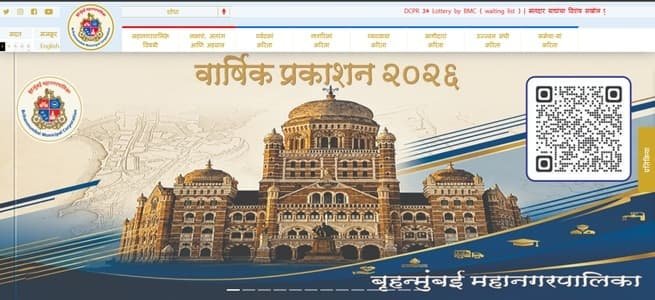
Brihanmumbai Municipal Corporation (BMC), historically also referred to as MCGM, is Mumbai’s civic body and one of the country’s largest municipal administrations. For property owners, the BMC Property Tax Citizen Portal is the main online route for tax payment, KYC, payment receipts, property reports, ownership-related requests and reassessment services.
The property-tax system is account-based. Citizens use the Property Account Number printed on the BMC tax bill, and the portal now places strong emphasis on KYC and OTP-based access for online services. Because KYC registration and change of ownership are separate processes, owners should understand the difference before assuming that an updated mobile number or completed KYC has changed the billing name. This guide explains the head-office details, property-tax login, payment, receipts, KYC, ownership changes and common problem situations.
Quick About: Brihanmumbai Municipal Corporation
| Particular | Details |
| Civic body | Brihanmumbai Municipal Corporation (BMC / MCGM) |
| Head office | Municipal Head Office, Mahapalika Marg, Fort, Mumbai – 400001 |
| Central civic helpline | 1916 |
| Official website | mcgm.gov.in / portal.mcgm.gov.in |
| Property-tax portal | BMC Property Tax Citizen Portal (ptaxportal.mcgm.gov.in) |
| Key property-tax identifier | Property Account Number shown on the BMC property-tax bill |
| Major online property-tax services | KYC, online payment, bill/outstanding reports, no-dues/payment certificate, receipt print, property transfer, billing-name/address change and reassessment |
Brihanmumbai Municipal Corporation Head Office Address
The BMC headquarters is the Municipal Head Office on Mahapalika Marg in Fort. Routine property-tax matters are generally handled through the online system or the appropriate ward-level Assessment and Collection office, while the central helpline can be used for broader civic support.
Address: Municipal Head Office, Mahapalika Marg, Fort, Mumbai – 400001
BMC helpline: 1916
What the BMC Property Tax Portal Provides
The dedicated Citizen Portal combines payment functions with property records and service requests. It is therefore useful not only when tax is due but also when a taxpayer needs supporting documents or wants to correct the municipal record.
- KYC form and OTP-based account access
- Online property-tax payment
- Print property-tax receipt
- Bill report and bill-wise outstanding report
- Property ledger and assessment-book reports
- No Dues / Payment Certificate
- Transfer of property
- Change in billing name and address
- Property-to-flat-wise request
- Application for reassessment
Property Account Number: The Main BMC Tax Reference
The Property Account Number is the key reference for BMC property-tax services. It appears on the upper portion of the tax bill. The portal also offers a search facility if the taxpayer does not know the number. Before paying, compare the retrieved owner/property description with your records, particularly where a society, redeveloped building or recently transferred flat is involved.
BMC Property Tax Login and KYC
BMC’s portal uses the Property Account Number and verification controls to open the property account. Where KYC has not been completed, the user can be directed to fill the required KYC details before using the wider citizen services. KYC helps authenticate access and enables digital communication, but it does not itself change the ownership or billing name.
- Open the BMC Property Tax Citizen Portal.
- Enter the Property Account Number and captcha.
- Complete OTP verification where prompted.
- If KYC is pending, fill the mandatory KYC details and save them.
- After access is enabled, use the portal menus for payment, reports or citizen-service applications.
How to Check and Pay BMC Property Tax Online
- Open the official BMC property-tax portal.
- Log in with the Property Account Number and complete the required verification.
- Open the online payment/bill section and review the outstanding tax.
- Confirm that the account belongs to the correct property.
- Proceed to the payment gateway and complete the transaction using an available digital mode.
- Return to the portal and save the payment confirmation and receipt.
BMC also provides an Instant Payment route for situations where a user needs to make a payment without completing the full registered-user workflow. However, registered/KYC access is needed for the broader set of property services and records.
How to Print a BMC Property Tax Receipt
Use the Print Receipt facility after the payment has been posted. A receipt should be kept with annual property records, especially when a flat is being sold, transferred, mortgaged or checked for outstanding municipal dues. If the payment does not appear, confirm the transaction status before attempting another payment.
Transfer of Property and Change in Billing Name
BMC provides separate citizen-service options for Transfer of Property and Change in Billing Name & Address. These are not the same as KYC. KYC authenticates the user’s access to the portal; an ownership or billing-name change requires the appropriate property-service application and supporting records.
For a recently purchased property, keep the registered sale/transfer document and other requested records ready. In society properties that were historically assessed as a whole rather than flat-wise, the municipal record can require additional handling before an individual unit receives separate billing.
Reassessment, Reports and No-Dues Documents
If the property’s tax assessment no longer reflects its physical status or use, the portal provides an application route for reassessment. The Right to Service section also includes property ledger, assessment book, bill-wise outstanding and no-dues/payment documents, which are useful when checking historical liabilities or preparing for a property transaction.
If Online Payment Is Debited but the Receipt Is Missing
Do not make a second payment until you have checked whether the first one has posted to the Property Account Number. Save the bank reference and screenshots. If the transaction remains unresolved, use BMC’s property-tax support/ward Assessment and Collection contact so the payment can be traced against the correct property account.
Frequently Asked Questions
Q. Does completing BMC KYC change the owner name on the property-tax bill?
No. BMC specifically treats KYC as authentication for portal access. To change the billing name or owner record, use the separate property transfer or billing-name change service.
Q. I paid BMC property tax, but the amount still appears outstanding. What should I do before paying again?
Check whether the transaction has posted and try the receipt/payment history functions first. Keep the bank reference and Property Account Number. If it remains unmatched, raise the issue with the concerned BMC property-tax support office instead of making an immediate duplicate payment.
Q. My flat was purchased in a society but BMC records still show the society/building assessment. Why?
Some properties have historically been assessed at building or society level rather than unit-wise. BMC provides a Property To Flat Wise service; the correct route depends on how the property is currently assessed.
Q. Can I use KYC to fix an incorrect property area or assessment?
No. KYC does not amend assessment data. Where the taxable details themselves need review, use the reassessment process and submit the supporting property records requested by BMC.
Q. What document is useful if a buyer wants proof that municipal tax is not pending?
The portal’s No Dues / Payment Certificate and outstanding reports are more useful than relying only on the latest receipt. A buyer should still match the certificate and property account with the actual premises.
Q. I do not know my Property Account Number. Should I create a new account number?
No. First use the BMC portal’s search facility or check an older bill. Creating or using the wrong property reference can cause payment and ownership-record problems.