The Municipal Corporation of Delhi (MCD) is the unified civic body handling municipal services across most of Delhi. Its property-tax portal is a structured online system that uses the Unique Property Identification Code (UPIC) to connect a property with tax returns, payments, mutation and related services.
For most taxpayers, a 15-character alphanumeric UPIC is central to the process. New users must sign up before regular portal use, while existing users can log in through registered mobile/OTP or email/login credentials. The portal also provides property search, tax calculation, tax-due certificates, mutation/e-change of name and receipt downloads. This guide covers the headquarters, UPIC, registration, payment, receipts and the problems that most often cause incorrect or duplicate payments.
Quick About: Municipal Corporation of Delhi
| Particular | Details |
| Civic body | Municipal Corporation of Delhi (MCD) |
| Head office | Dr. S.P.M. Civic Centre, Minto Road, New Delhi – 110002 |
| Call centre | 155305 |
| Property-tax mobile/WhatsApp | 7065064988 |
| Helpdesk email | mcd-ithelpdesk@mcd.nic.in |
| Official website | mcdonline.nic.in |
| Key property-tax identifier | 15-character alphanumeric UPIC (Unique Property Identification Code) |
| Major property-tax services | Sign-up/login, search property, pay tax, tax calculator, tax-due certificate, mutation/e-change of name, UPIC merging, geo-tagging and receipt download |
Municipal Corporation of Delhi Head Office Address
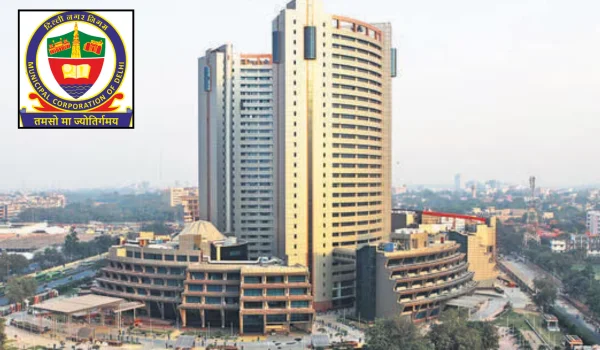
MCD’s headquarters is at Dr. S.P.M. Civic Centre on Minto Road. The corporation’s central call centre handles civic support, while the property-tax portal publishes a separate mobile/WhatsApp number for PTR-related assistance.
- Address: Dr. S.P.M. Civic Centre, Minto Road, New Delhi – 110002
- Call centre: 155305
- Property-tax support: 7065064988 (WhatsApp also)
UPIC: The Key to MCD Property Tax
UPIC stands for Unique Property Identification Code. MCD requires the property to have a UPIC before property tax can be paid through the standard system. The current portal identifies it as a 15-character alphanumeric code.
If an older taxpayer cannot find the current UPIC, the portal provides property-search and “Know Your UPIC/Mobile Number” functions. A property without a UPIC can require a new-UPIC application rather than using another property’s code.
MCD Login and New User Registration
New users who have not signed up on the unified portal must register before using the regular pay-tax workflow. Existing taxpayers can log in through the method linked to their account.
- Mobile number and OTP
- Email/Login-ID and password, with verification where required
- UPIC-based login/OTP options shown by the portal
- Open the MCD property-tax citizen portal: https://mcdonline.nic.in/portal
- Choose Sign Up if you have never registered on the current portal.
- Verify the mobile number or email as required.
- Complete the registration details.
- Log in and link/search the relevant property/UPIC.
How to Search an MCD Property
New taxpayers and people coming from older legacy records can use Search Property after login. The search can use available property details such as owner name, mobile number, colony and plot/door information. Always confirm the address and owner record before acquiring or using a UPIC.
If the portal finds multiple similar properties, do not guess. Use the property details and MCD helpdesk to identify the correct UPIC.
How to Pay MCD Property Tax Online
- Log in to the MCD property-tax portal.
- Open the registered property and choose Pay Tax under the relevant action.
- Select the financial year and review the tax calculation.
- Confirm the UPIC and property details.
- Proceed to digital payment and complete the transaction.
- After payment, open Tax Paid Details/receipt options and download the receipt.
How to Download an MCD Property Tax Receipt
MCD’s citizen/app instructions provide a Tax Paid Details option from which a receipt can be downloaded. Keep the PDF or printed copy with the UPIC and financial-year details. For property transactions, a tax-due certificate and payment history can be more informative than a single receipt.
Mutation / e-Change of Name
MCD provides an online Mutation/e-Change of Name service. The portal notes that e-change of name can be applied after acquisition of the UPIC, whether by generation or transfer. Therefore, clearing tax in the seller’s name does not complete the municipal ownership update.
Use the correct mutation route and keep the transfer/ownership documents ready.
UPIC Merging, Geo-Tagging and Tax-Due Certificate
The portal includes UPIC merging for cases where property identifiers need consolidation, geo-tagging functions and a Tax Due Certificate service. These should be used carefully because merging or selecting the wrong property identifier can affect future tax records.
If you are unsure whether two UPICs truly belong to the same property, obtain clarification from MCD before submitting a merge request.
If Payment Is Debited but the MCD Receipt Is Missing
MCD warns taxpayers about multiple payments for the same property. If the bank account is debited but the receipt is missing, first check Tax Paid Details and the UPIC record. Keep the payment reference and contact the property-tax helpdesk if the transaction remains unresolved.
Frequently Asked Questions
Q. I have an old Delhi property-tax record but no 15-character UPIC. Can I still pay using the old reference?
Use MCD’s search/legacy-property route to locate or acquire the correct UPIC. If no UPIC exists, follow the new-UPIC process. Do not use another property’s code.
Q. The portal shows two UPICs that appear to relate to one property. Should I merge them myself?
Only after confirming that both identifiers actually represent the same property record. An incorrect merge can complicate assessment and ownership history, so use MCD support when the mapping is uncertain.
Q. I paid tax but did not get the receipt. Should I submit another PTR/payment?
No. Check Tax Paid Details and the UPIC transaction record first. MCD specifically cautions against multiple payments for a single property.
Q. I purchased a property and paid the seller’s outstanding tax. Is the owner name changed automatically?
No. Use the Mutation/e-Change of Name service after the UPIC is properly associated with the acquired property.
Q. My registered mobile number has changed and I cannot receive OTP. How can I access the property?
Use the portal’s available account-recovery/UPIC-mobile support options or contact the property-tax helpdesk. Do not create a duplicate property merely to regain access.
Q. What should I use before buying a property to check municipal tax exposure?
Review the UPIC, tax-paid history and Tax Due Certificate/outstanding details. Match them with the physical property and ownership documents rather than relying only on a seller-provided screenshot.